

MSWLogo is an interpreter for the Logo programming language, created mainly for educational purposes. Thanks to the simplicity of the language and its straightforward environment, it’s commonly used as an introduction to programming through visual output and basic logic concepts.
Programming with the Logo turtle
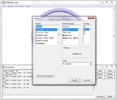
At the core of MSWLogo is the well-known “turtle,” which follows instructions to move and draw on the screen. By using simple commands, users can create shapes, patterns, and drawings while learning how sequences, procedures, and instructions work. The program also allows adjustments to visual elements such as line color and thickness, font type and size, and the visible drawing area.
A clear, window-based interface
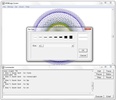
The interface is organized into three main windows. The work window is used to enter direct commands and quickly execute actions with the help of practical buttons. The display window shows only the results of the turtle’s actions. The editing window, which is opened separately, is where users write named procedures that can later be run from the work window and displayed on screen.
Built for learning and experimentation
MSWLogo comes with several demo programs that make it easier to understand how Logo works from the start. Despite its educational focus, performance is solid and suitable for experimenting with graphics or simple control projects. As free and open-source software, it offers an accessible way to learn programming concepts without restrictions.
Download MSWLogo if you want a visual and approachable way to get started with programming using Logo.
Comments
A great program, may God bless you.
Amazing